A quiet desk for your novel.
NovelDesk is a place to write a novel, right in your browser. Write in chapters, keep notes on your people and places, and keep going with a daily goal and a timer.
Free. No download, no sign-up.
Prefer a desktop app? NovelDesk is on the Mac App Store.
Where your writing lives
- This browser
- On the free desk, every chapter and note lives only in this browser, on this computer, and nothing is uploaded. If the browser clears this site’s data (Safari does after 7 days without a visit), the writing goes with it.
- A backup file
- Save one whenever you like. It holds every chapter, note and illustration, and it opens in NovelDesk on any computer. On the free desk, it’s your own copy.
- The cloud, with Plus
- With Plus, everything is saved to the cloud, so the same manuscript opens on your laptop and your phone.
On the desk
Line focus
The lines above and below the one you’re writing go soft, so the sentence in front of you is the only one asking for attention. You choose how strong.
People and places
Type @ to bring in a character or a place. Click the name later and its note opens beside the page, with the chapters it appears in.
Where you left off
A new chapter opens with the last lines of the one before it, faint above the heading, like the page before showing through.
A timer
Write for 25 minutes, rest for 5, and take a longer break after four rounds. The time left shows in the top bar.
A daily goal, in pencil
Set how much you want to write each day, in words or characters. NovelDesk keeps count and draws your month in pencil.
Six papers
Paper, apricot and dawn for the daytime; night, forest and lamplight for later. Pick one here and this page changes with it.
NovelDesk Plus
Writing stays free. Plus is a bigger desk: no limit on manuscripts or chapters, every version kept, everything saved to the cloud, and drawing credits for chapter illustrations.
$8 a month, or $60 a year.
See Plus
Read a published book
Chapters published with Plus become reading pages like these on read.noveldesk.app. The books here are samples made from public-domain classics, so each one stops after its opening chapters.
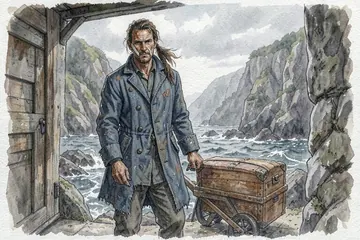
- Treasure Island Robert Louis Stevenson, 1883Squire Trelawney, Dr. Livesey, and the rest of these gentlemen having asked me to write down the whole particulars about Treasure Island…
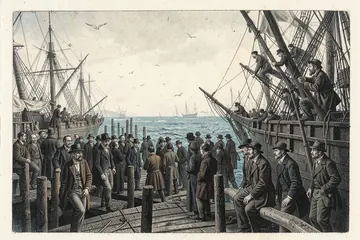
- Moby-Dick Herman Melville, 1851Call me Ishmael. Some years ago—never mind how long precisely—having little or no money in my purse…
- 「봄봄」 외Korean 김유정, 1935–36
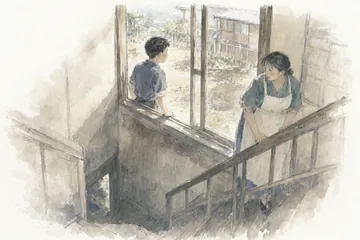
- 坊っちゃんJapanese 夏目漱石, 1906
- 阿Q正传Chinese 鲁迅, 1921–1922
- «El rey burgués» y otros cuentos de Azul…Spanish Rubén Darío, 1888

Questions
What is NovelDesk?
NovelDesk is a writing app for novels that runs in your web browser at noveldesk.app. You can start writing right away; an account is needed only for Plus. A manuscript is a list of chapters, and beside it you keep notes on your characters and places, which you can mention in the text with @. A daily goal, writing stats and a Pomodoro timer help you write regularly, and line focus blurs everything except the line you’re on. The free desk holds two manuscripts of up to 30 chapters each, saved in your browser, with version history for the last 7 days and export to plain text or Markdown. NovelDesk Plus, $8 a month or $60 a year, saves everything to the cloud, keeps every version, exports Word, EPUB and PDF, gives 20 drawing credits a month for illustrations and publishes chapters as reading pages at read.noveldesk.app.
Is it free?
Yes. Writing, notes, the timer, stats, themes, backup files, importing files and exporting plain text or Markdown are free. The free desk holds two manuscripts of up to 30 chapters each, and the sample doesn’t count. At a limit you can still write, edit, export and back up; you just can’t add another manuscript or chapter. Plus lifts the limits.
Can I bring in a Word document?
Yes, for free. NovelDesk opens .docx, .txt and .md files and its own backup files, right in your browser, and splits them into chapters at the headings. Only the text comes in: bold, pictures and footnotes are left behind. Exporting to Word, EPUB and PDF is part of Plus.
Where are my manuscripts saved?
On the free desk, your writing is saved only in this browser. If the browser clears this site’s data (Safari does after 7 days without a visit), the writing goes with it. With Plus, everything is saved to the cloud. Nothing is uploaded unless you subscribe to Plus or ask for a picture, which sends that one chapter or note to be drawn.
What if I clear my browser data?
Clearing site data for noveldesk.app deletes the manuscripts kept in this browser, and Safari does it by itself after 7 days without a visit. Save a backup file now and then (bottom right of the writing screen), or use Plus, which saves everything to the cloud.
Does NovelDesk use AI on my writing?
No. AI is used only for the optional Plus pictures, for chapters and for people and places: you ask for one, that chapter or note goes to our server once, and it isn’t kept.
Can I write on my phone?
Yes, NovelDesk works in a phone browser. To carry a manuscript between devices, open a backup file on the other one, or use Plus, which saves to the cloud.
Is there a Mac app?
Yes. There is a Mac app on the Mac App Store, for people who want to write in a desktop app. The web version works in any browser, with nothing to install.
Can I bring manuscripts over from the Mac app?
Yes. In the Mac app (version 2.2 or later), export a project as “NovelDesk web (.noveldesk)”. Then open that file here: choose “Import a file” on the empty screen, Import on your desk, or “Restore from file” in the backup panel. A manuscript that is already here is replaced by the file’s version, and the text before is kept as a version. Version history, comments, goals and statistics, and bold and italic don’t come across.
Can I move a manuscript from the web to the Mac app?
Yes. Choose “Save backup” here to save a .noveldesk file. In the Mac app (version 2.2 or later), choose “Open a web backup” on the start screen or the project list, and open it. Each manuscript becomes a new project, and nothing already in the Mac app is changed. Chapter illustrations and the cloud and publishing state don’t come across.

Write Your Story
Today’s draft is tomorrow’s masterpiece.
Start writing